Laravel vs WordPress for Custom Web Apps: Which Fits Your Project?
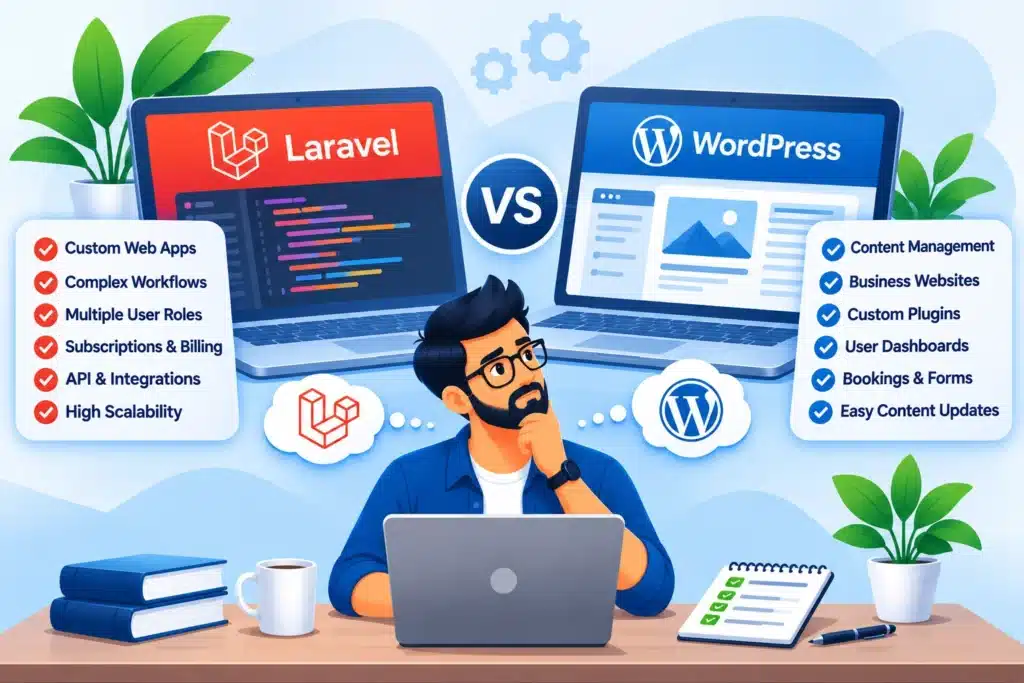
Imagine you want to build a platform where customers can create accounts, manage subscriptions, upload documents, track requests and interact with different user dashboards. Would you build it using WordPress or Laravel?
The answer depends on how much of your project is standard website functionality and how much involves custom business logic.
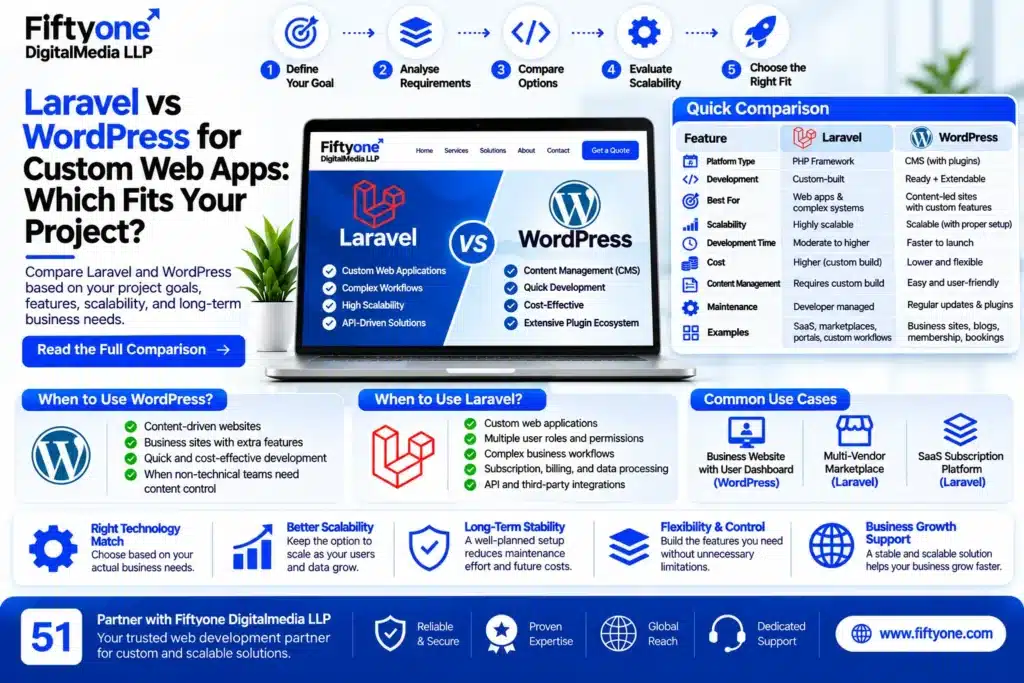
WordPress is a content management system that can be extended with custom plugins, APIs and database functionality. Laravel is a PHP framework designed for building custom web applications with structured application logic.
Choose WordPress when your project is primarily a content-driven website with additional features. Choose Laravel when the application itself is the main product and requires custom workflows, permissions, integrations or data processing.
Choosing the wrong technology can create unnecessary development work, expensive maintenance and limitations when your application grows. Here is how to evaluate both options before starting development.
1. Start With the Actual Problem Your Application Needs to Solve
Do not select a technology simply because your developer prefers it. First, identify what users will do inside your application.
Consider these examples:
Project A: A business website with a customer dashboard
The website needs:
- Service and landing pages
- Blog and resource sections
- Customer registration
- A basic account dashboard
- Contact forms
- Appointment requests
WordPress may be sufficient. Custom plugins can add the required functionality without building an entire application framework from scratch.
Project B: A multi-vendor service marketplace
The platform needs:
- Separate customer and vendor accounts
- Vendor verification
- Commission calculations
- Custom booking workflows
- Payment distribution
- Dispute management
- Transaction histories
- Role-specific dashboards
This is a stronger Laravel use case because the application requires multiple interconnected business processes.
Project C: A SaaS subscription platform
Users need to register, select subscription plans, access different features based on their plans, manage billing and interact with application-specific data.
Laravel is generally the more suitable foundation when these workflows are central to the product.
The distinction is simple: adding a few features to a website is different from developing a complete software application.
2. WordPress Is More Than a Website Builder
A common misconception is that WordPress can only create blogs and basic business websites. That is incorrect.
WordPress has a plugin architecture that allows developers to add custom functionality. Developers can create custom post types, user roles, administrative interfaces, database structures and integrations.
For example, a custom WordPress plugin can support:
- Customer registration and login
- Membership management
- Custom user dashboards
- Booking and appointment systems
- Document submission
- Custom content management
- API integrations
- Business-specific workflows
WordPress also provides a REST API that allows applications to access and exchange website data.
This means developers can create custom interfaces or connect WordPress content with separate applications.
When WordPress is a sensible choice
Use WordPress when content management is an important part of the project and the custom functionality can be implemented cleanly through plugins and integrations.
It is particularly useful when non-technical staff need to manage pages, blog posts, service information, images and other website content without involving developers for every update.
However, a custom WordPress application should be properly engineered. Building every feature through unrelated plugins can create dependency problems and make future maintenance difficult.
For projects that need deeper customisation, custom WordPress development can extend the platform beyond standard themes and plugins.
3. Laravel Is Built for Application Logic
Laravel is a PHP framework that provides a structured foundation for developing web applications.
Instead of starting with a ready-made content management system, developers build the application’s features according to the business requirements.
Laravel provides tools for handling areas such as:
- Application routing
- Database operations
- Authentication and authorisation
- Request validation
- Background jobs and queues
- API development
- Application events
- Caching
- Automated testing
For example, imagine developing a logistics management platform.
A user creates a shipment request. The system assigns the request to an operator, updates its status, records the activity, sends notifications and displays the latest information to the customer.
This is not simply a collection of website pages. It is an application with connected processes and data relationships.
Laravel gives developers a structured way to implement these workflows.
Where Laravel becomes useful
Laravel is worth considering when your project includes:
- Multiple user types with different permissions
- Complex approval processes
- Subscription and billing logic
- Large numbers of interconnected records
- Custom reporting and analytics
- External system integrations
- API-driven mobile or web applications
- Background processing and automation
The framework does not automatically make an application scalable or secure. Architecture, database design, coding practices, infrastructure and testing still determine the quality of the finished product.
4. The Biggest Difference Is How Your Application Handles Business Rules
Consider a simple appointment booking system.
A basic WordPress booking website may allow customers to select a service, choose an available time and submit a booking request.
But what happens when the business needs more advanced rules?
For example:
- Different staff members have different availability.
- Some customers receive priority booking.
- Certain services require approval.
- Customers can reschedule only within a defined period.
- Payments are released after service completion.
- Refunds depend on cancellation timing.
- Managers need access to performance reports.
Each additional rule increases the complexity of the application.
WordPress can support custom business logic through plugins and custom development. However, as the number of connected workflows increases, the application may become difficult to organise if its architecture was not planned properly.
Laravel provides a framework-oriented structure for implementing these rules as separate application components.
The important question is not whether WordPress can technically perform a task. It is whether the platform remains maintainable when the complete set of business rules is implemented.
5. What Happens When You Need Different User Roles and Permissions?
User management is one of the most important architectural decisions in a custom application.
A simple website may have administrators, editors and registered customers. A larger application might have:
- Super administrators
- Business owners
- Department managers
- Employees
- Customers
- Vendors
- Accountants
- Support agents
Each user type may require different access to records, dashboards and actions.
For example, a vendor should only see their own orders, while an administrator may need access to all vendor records. A support agent may be allowed to review customer complaints but not modify financial information.
WordPress supports user roles and capabilities, and custom plugins can extend these permissions.
Laravel applications can implement role-based permissions and policies around specific actions and resources.
Neither approach is automatically secure. Developers must verify permissions on the server side, validate requests and prevent users from accessing information they are not authorised to see.
If your application has complicated permission rules across many modules, define the access model before development begins.
6. Database Design Can Decide Whether Your Project Succeeds
A custom application may initially have only a few users and records. Over time, it may need to manage thousands of customers, transactions, subscriptions, bookings or activity logs.
The database structure must support how the application stores, retrieves and updates this information.
WordPress database approach
WordPress has a database structure designed around content, users, metadata and other platform features.
Custom functionality can use existing WordPress structures or introduce custom database tables where appropriate.
For a content-heavy application with moderate custom functionality, this can be a practical approach.
But using generic metadata fields for every complex relationship is not always a good design decision. Developers should evaluate whether custom tables and a more specialised data model are necessary.
Laravel database approach
Laravel applications commonly use relational database structures designed around the application’s requirements.
Developers can define relationships between customers, orders, subscriptions, payments, permissions and other entities.
Laravel’s migration system helps manage database structure changes through version-controlled migration files.
This gives developers more direct control over the application’s data model.
A practical example
Suppose you are building a fleet management platform.
You may need to connect:
- Vehicles
- Drivers
- Routes
- Fuel records
- Maintenance schedules
- Delivery assignments
- Payment records
These entities have relationships and operational rules. A well-designed database is essential for maintaining data consistency and generating accurate reports.
Laravel may be the more natural choice for this type of application, although WordPress can still be used as a separate content management layer if required.
7. Performance Is an Architecture Decision, Not Just a Framework Decision
It is inaccurate to say that Laravel is always faster than WordPress or that WordPress cannot handle demanding applications.
Performance depends on how the application is developed and deployed.
A WordPress website with a lightweight theme, efficient queries, appropriate caching and a well-configured server can perform very well.
A poorly designed Laravel application with inefficient queries, unnecessary database calls and inadequate infrastructure can perform badly.
Look at the actual performance requirements.
For a WordPress project, review:
- Plugin and theme overhead
- Database query efficiency
- Object caching
- Page caching
- Image and asset optimisation
- Custom plugin performance
- Hosting configuration
For a Laravel project, review:
- Database query optimisation
- Application caching
- Background job processing
- API response times
- Queue configuration
- Server resource usage
- Database indexing
- Monitoring and error handling
If your application performs lengthy tasks such as report generation, bulk imports or notification processing, background jobs can help avoid keeping users waiting for a request to finish.
The framework alone does not solve performance problems. The development team must design for the expected workload.
8. Security and Maintenance Require Different Responsibilities
Both platforms need ongoing security work. Neither one should be treated as a system that can be launched and ignored.
With WordPress, maintenance includes core, theme and plugin updates, backups, security monitoring and compatibility checks. Custom plugins also need to be maintained when the platform or other dependencies change.
With Laravel, maintenance includes framework and package updates, application security, dependency management, database backups, server configuration, monitoring and testing.
Laravel gives developers control over the application’s architecture, but that also means the development team must implement and maintain more of the application itself.
For either platform, establish the following before launch:
- Who is responsible for security updates?
- How frequently are backups created?
- How will errors and failed background jobs be monitored?
- Who can access production data?
- How will new features be tested?
- What is the recovery process if the application goes offline?
Security should be part of the development process, not a task added after a problem occurs.
9. Can You Combine WordPress and Laravel in One Project?
Yes. You do not always have to choose only one technology for the entire project.
A hybrid architecture can make sense when the public-facing website and the application have very different requirements.
Consider a SaaS company that needs:
- A marketing website
- Blog and resource management
- Product documentation
- Customer registration
- Subscription management
- A private application dashboard
WordPress can manage the public website and editorial content, while Laravel handles the core application.
The two systems can communicate through APIs.
A possible structure could look like this:
www.example.comfor the WordPress marketing websiteapp.example.comfor the Laravel application- An API layer for selected data exchange
This approach allows the marketing team to manage website content independently while developers maintain the application logic separately.
However, a hybrid setup introduces additional responsibilities. You must plan authentication, API permissions, data ownership, deployment, monitoring and maintenance across both systems.
Do not introduce two platforms simply because they are available. Use a hybrid architecture only when the separation solves a real business or technical problem.
10. How to Estimate the Right Development Budget
A framework name does not determine the total project cost. A simple Laravel application may cost less than a heavily customised WordPress platform, and a complex WordPress project may require substantial development.
The budget should be based on the work required.
Before requesting a quote, prepare these details:
Application scope
- What problem does the application solve?
- Who will use it?
- What are the main user journeys?
- Which features are essential for the first release?
Technical requirements
- Number of user roles
- Database relationships
- External integrations
- Payment requirements
- API requirements
- Security and privacy needs
- Expected usage and data volume
Delivery requirements
- UI/UX design
- Development
- Testing
- Data migration
- Deployment
- Documentation
- Ongoing maintenance
Ask the development company to separate the initial launch requirements from future enhancements. This helps prevent unnecessary features from increasing the first development budget.
A good proposal should explain what is included, what is excluded, how changes will be priced and who owns the source code.
A Practical Technology Selection Test
Before approving a development proposal, answer these five questions:
Question 1: Is publishing and managing content the main purpose of the project?
If yes, WordPress deserves serious consideration.
Question 2: Does the application have complex business rules or multiple connected workflows?
If yes, Laravel may be a better foundation.
Question 3: Will different user groups need highly specific permissions and dashboards?
If yes, evaluate the application architecture and access-control model carefully. Laravel may provide a more natural structure for complex requirements.
Question 4: Does the business need to launch quickly with standard website functionality?
If yes, WordPress may reduce initial development effort.
Question 5: Is the product expected to become a standalone software platform?
If yes, consider Laravel or another application framework rather than forcing the entire product into a traditional CMS structure.
These questions do not replace technical planning, but they help identify which direction deserves further investigation.
Frequently Asked Questions
1. Can WordPress be used to build a custom web application?
Yes. WordPress supports custom plugins, user roles, custom database tables, REST API integrations and application-specific functionality. It can be suitable for applications that also need strong content management capabilities.
2. Is Laravel better than WordPress for SaaS development?
Laravel is often a stronger choice when a SaaS product requires custom subscription workflows, permissions, billing logic, dashboards and application-specific data processing. WordPress may still be useful for the marketing website or content management layer.
3. Can Laravel and WordPress use the same database?
They can be configured to work with a shared database in certain architectures, but this should not be the default design. Separate data ownership and API-based communication are often easier to maintain. Sharing tables requires careful planning to prevent conflicts and security problems.
4. Can I convert an existing WordPress website into a Laravel application?
Yes, but it is usually a redevelopment or migration project rather than a direct conversion. Content, users, business data, URLs and existing functionality must be reviewed and migrated where necessary.
5. Is Laravel harder to maintain than WordPress?
Laravel generally requires developers who understand the application’s codebase, architecture and deployment process. WordPress can be easier for content teams to manage, but complex custom WordPress installations also require technical maintenance.
6. Which technology is better for a booking or appointment platform?
A basic appointment website may work well with WordPress and a suitable booking solution. A platform with multiple providers, complex availability rules, commissions, approvals and custom payment workflows may be better suited to Laravel.
7. Can I start with WordPress and move to Laravel later?
Yes, but migration can involve rebuilding application functionality, transferring data, mapping URLs and updating integrations. If a future migration is likely, plan data structures and API boundaries early to reduce unnecessary rework.
Conclusion
WordPress and Laravel are not direct replacements for each other. WordPress provides a content management foundation that can be extended through custom development. Laravel provides an application framework for building software around specific business requirements.
For a business website with additional functionality, WordPress may be the practical choice. For a complex SaaS platform, marketplace, management system or application with interconnected workflows, Laravel may provide a more suitable foundation.
The correct decision comes from understanding the product’s features, data relationships, user permissions, integrations and long-term maintenance requirements before development begins.
Fiftyone Digitalmedia LLP develops WordPress websites and custom web applications for businesses and agencies. The technology selection should always follow the project’s requirements rather than forcing every project into the same development stack.