Shopify API Integration Guide
Introduction
Running a Shopify store becomes more complex as an ecommerce business grows. Managing products, inventory, orders, customer information, shipping, and marketing across separate platforms can create repetitive work and inconsistent data.
Shopify API integration helps businesses connect their stores with external applications and internal systems. Instead of manually transferring information between platforms, businesses can automate selected workflows and synchronize data where required.
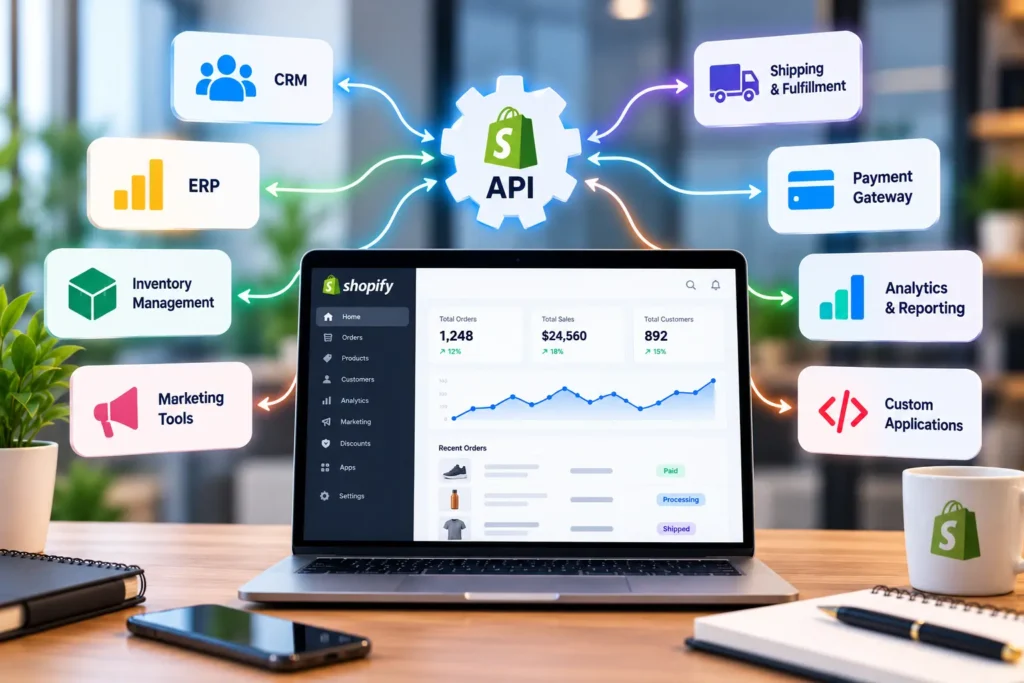
For example, a Shopify store can connect with an inventory management system to update stock levels, a CRM to organize customer information, or a shipping platform to support order fulfilment.
However, successful integration involves more than connecting two applications. Businesses must choose the right API, define data requirements, configure authentication securely, and handle errors without disrupting store operations.
This Shopify API integration guide explains how integrations work, which systems businesses commonly connect, and what to consider before implementing a custom solution.
What Is Shopify API Integration?
Shopify API integration is the process of connecting a Shopify store with another application or service through an application programming interface (API).
An API allows software systems to exchange information or request specific actions according to defined permissions and technical rules.
Depending on the business requirement, an integration may allow a system to retrieve product information, update inventory, receive order notifications, or display products in a custom storefront.
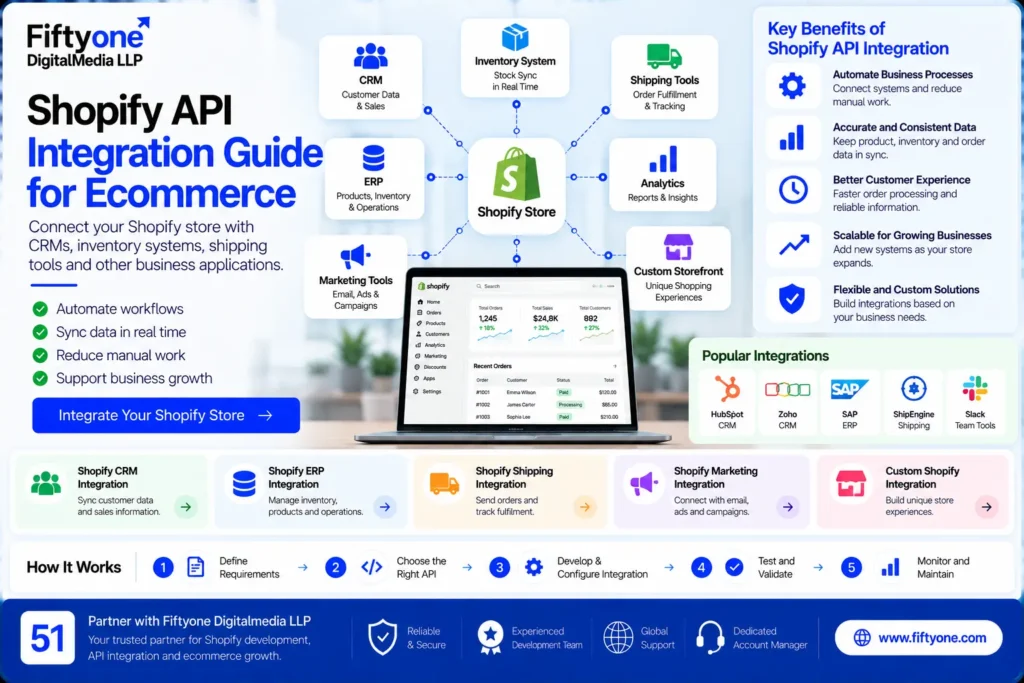
Common integration examples include:
- Connecting Shopify with a CRM to organize customer and sales information.
- Synchronizing inventory between Shopify and an enterprise resource planning (ERP) system.
- Sending order details to shipping and fulfilment software.
- Connecting ecommerce activity with analytics and reporting tools.
- Building custom storefront experiences using Shopify product data.
Businesses that need broader storefront customization can also explore Why Shopify Development Services Drive E-commerce Growth, which discusses Shopify development, custom features, and integrations for growing ecommerce brands.
Types of Shopify APIs
Shopify offers different APIs for different purposes. Choosing the right one depends on which system needs access to the data and what the integration must accomplish.
Shopify Admin API
The Admin API allows authorized applications to work with store data and administrative resources, subject to the permissions granted.
It can support operations involving products, orders, customers, inventory, and other store resources. For example, an authorized inventory integration may retrieve product data and update stock quantities.
Shopify’s current development guidance recommends the GraphQL Admin API for new integrations. The REST Admin API is considered legacy for new app development, so developers should check the latest official documentation before selecting an implementation approach.
Shopify Storefront API
The Storefront API supports customer-facing shopping experiences. It can be used to retrieve product information and build custom storefront functionality outside a conventional Shopify theme.
This can be useful when a business wants a highly customized shopping interface while using Shopify for commerce-related capabilities.
Shopify Webhooks
Webhooks allow Shopify to notify an external application when a subscribed event occurs. For example, an application can receive an event when an order is created or a product is updated.
Webhooks can reduce the need to repeatedly request the same information. However, integrations should validate incoming events, handle retries appropriately, and avoid processing the same event more than once.
For implementation details, refer to the official Shopify API documentation.
Common Shopify API Integrations for Businesses
The right integration depends on the operational problem a business wants to solve. Some stores need a simple connection between two platforms, while others require a custom integration involving several systems.
1. Shopify CRM Integration
A CRM integration can help ecommerce businesses organize customer records and sales-related information.
Depending on the platforms involved, it may transfer customer details, associate orders with customer records, or support customer-service workflows.
Before implementation, define which fields should be shared and which system should be considered the primary source for each data type. This reduces duplicate records and conflicting information.
Customer data must also be handled according to applicable privacy requirements and the permissions granted to the integration.
2. Shopify ERP Integration
An ERP system may manage inventory, purchasing, finance, product records, and other operational processes.
Connecting Shopify with an ERP can reduce manual data entry and help align online sales with internal operations.
A typical integration might send Shopify orders to the ERP, retrieve inventory updates, and synchronize selected product information. The exact workflow depends on the ERP platform and the business’s operating model.
Businesses should establish how conflicts are resolved. For example, if stock levels differ between Shopify and the ERP, the integration needs a clear rule for determining which value is authoritative.
3. Inventory Management Integration
Businesses selling through multiple sales channels often need inventory information to remain consistent.
A custom integration can synchronize stock levels between Shopify and an inventory system, subject to the capabilities of each platform.
Important considerations include update frequency, product and variant mapping, location-specific stock, and handling orders that occur at nearly the same time.
Testing these scenarios helps reduce overselling and inaccurate availability information.
4. Shipping and Fulfilment Integration
Shipping integrations connect ecommerce orders with carrier, warehouse, or fulfilment systems.
Depending on the service, the integration may transfer order details, retrieve shipping rates, create fulfilment requests, or synchronize tracking information.
Businesses should test address validation, international destinations, shipping methods, partial fulfilments, and failed requests before deploying the integration to production.
5. Accounting and Reporting Integration
Accounting integrations can transfer selected order, refund, tax, and payment-related information to financial software.
The goal is to reduce repetitive data entry while preserving accurate financial records.
Before connecting systems, determine how discounts, refunds, shipping charges, tax amounts, and payment fees should be represented. A connection that transfers orders but mishandles refunds may create reconciliation problems later.
6. Marketing and Analytics Integration
Shopify stores often connect with analytics, email marketing, advertising, and customer engagement platforms.
These integrations can help businesses understand customer activity and coordinate campaigns. However, events should be mapped carefully to avoid duplicate purchase tracking or inaccurate revenue reporting.
Review consent requirements, data-sharing settings, and the behavior of tracking scripts before enabling a new integration.
How to Plan a Shopify API Integration
A reliable integration starts with a clear business requirement rather than choosing an API first.
Step 1: Define the business problem
Identify the manual process, data inconsistency, or missing capability that the integration should address.
For example, the objective may be to reduce manual order entry, keep stock levels synchronized, or send order information to a fulfilment platform.
Step 2: Map the data flow
Document which system sends information, which system receives it, and when the transfer should happen.
Specify the fields required, how products and customers will be matched, and which system owns each important record.
Step 3: Select the appropriate API
Choose the API that supports the required functionality. Administrative operations, customer-facing storefronts, and event notifications may require different Shopify APIs.
Review current documentation for supported operations, authentication, versioning, and limitations before development begins.
Step 4: Configure authentication and permissions
Shopify APIs use access tokens and permissions to control which data an application can access.
Request only the scopes required for the integration, store credentials securely, and avoid exposing private tokens in browser-side code or public repositories.
For more information, consult Shopify’s official API authentication guide.
Step 5: Build error handling and synchronization rules
Integrations should anticipate failed requests, network interruptions, missing fields, duplicate events, and temporary API limits.
Implement appropriate logging, controlled retries, and clear failure alerts. Where data is synchronized in both directions, establish rules to prevent conflicting updates.
Step 6: Test before deployment
Use a development or staging environment where possible. Test normal operations as well as edge cases, including cancelled orders, refunds, inventory changes, and temporary service failures.
Confirm that the integration handles sensitive information appropriately and does not disrupt existing checkout or order-processing workflows.
Step 7: Monitor the integration
After launch, monitor errors, synchronization delays, API usage, and unexpected data changes.
Plan for maintenance because APIs evolve, credentials may need updating, and third-party platforms can change their behavior.
Common Shopify API Integration Challenges
Even a well-planned integration can encounter problems when systems use different data structures or operating rules.
Authentication and permission errors
An API request may fail because a token is invalid, expired, or missing the required permission. Check the authentication flow and requested scopes rather than repeatedly retrying the same unauthorized request.
API rate limits
Shopify applies rate limits to help maintain platform stability. Excessive or inefficient requests can lead to throttling.
Reduce unnecessary calls, request only the data needed, use pagination or supported bulk operations where appropriate, and follow documented retry guidance. Shopify’s API limits vary by API and plan, so developers should consult the relevant current documentation.
Duplicate or inconsistent records
Customer records, product variants, and orders may not share the same identifiers across platforms. Define reliable mapping rules and use appropriate duplicate-prevention logic.
Failed webhook processing
Webhook delivery or processing can fail. Verify incoming events, log failures, and design the application so repeated events do not trigger duplicate business actions.
Changes to APIs or external systems
A third-party service may update its API, authentication, or data format. Use supported API versions, monitor developer announcements, and test updates before changing a production integration.
How to Choose a Shopify API Integration Partner
Businesses may need specialist help when an integration involves multiple platforms, complex inventory rules, custom workflows, or sensitive business data.
When evaluating a development partner, ask whether the team can:
- Explain the proposed architecture and data flow.
- Identify the correct Shopify APIs for the requirements.
- Implement secure authentication and appropriate access scopes.
- Handle errors, retries, API limits, and duplicate events.
- Test the integration using realistic business scenarios.
- Document the system and provide ongoing technical support.
A reliable partner should also explain what is included in the scope, which third-party subscriptions or services are required, and how future maintenance will be handled.
For businesses looking for broader ecommerce development support, White Label Development Solutions outlines development services offered by Fiftyone Digitalmedia LLP, including Shopify, WooCommerce, and custom website solutions.
How Fiftyone Digitalmedia LLP Can Help
Fiftyone Digitalmedia LLP provides website development and white-label development support for businesses and agencies. Shopify-related projects may involve app integrations, custom storefront features, theme development, and connections between ecommerce stores and external systems.
The appropriate solution depends on the platforms involved, the data that needs to move, and the reliability requirements of the workflow.
Before development begins, establish the integration scope, security requirements, test cases, and ownership of ongoing maintenance. This helps businesses avoid unclear responsibilities and ensures the finished integration supports actual operational needs.
Frequently Asked Questions
What is Shopify API integration used for?
Shopify API integration connects a Shopify store with other applications, such as CRMs, ERP platforms, inventory systems, shipping services, and analytics tools. It can automate selected workflows and exchange data between systems.
Which Shopify API should I use?
The correct API depends on the task. The Admin API supports authorized administrative operations, the Storefront API supports customer-facing commerce experiences, and webhooks provide event notifications. Review Shopify’s current documentation before selecting an implementation.
Is Shopify API integration suitable for small businesses?
Yes. A small business may benefit from a focused integration that removes repetitive work, such as synchronizing inventory or transferring orders to another system. The scope should be proportionate to the business’s actual needs.
How do I keep a Shopify API integration secure?
Use appropriate authentication, request only necessary permissions, store credentials securely, validate incoming events, and monitor errors. Follow the security and privacy requirements applicable to the store and the data being processed.
Conclusion
Shopify API integration helps ecommerce businesses connect their stores with the systems they use to manage inventory, customer relationships, fulfilment, accounting, and marketing.
The most effective integration begins with a clearly defined business problem, an appropriate API, secure access controls, and reliable data-handling rules. Testing, monitoring, and maintenance are equally important because a connection must continue working as both platforms evolve.
Whether a business needs a straightforward inventory connection or a more complex custom workflow, careful planning can reduce manual work and improve operational consistency.
Need help planning a Shopify integration? Contact Fiftyone Digitalmedia LLP to discuss your systems, requirements, and possible development approach.