
CRM Integration for Small Businesses: A Complete Guide
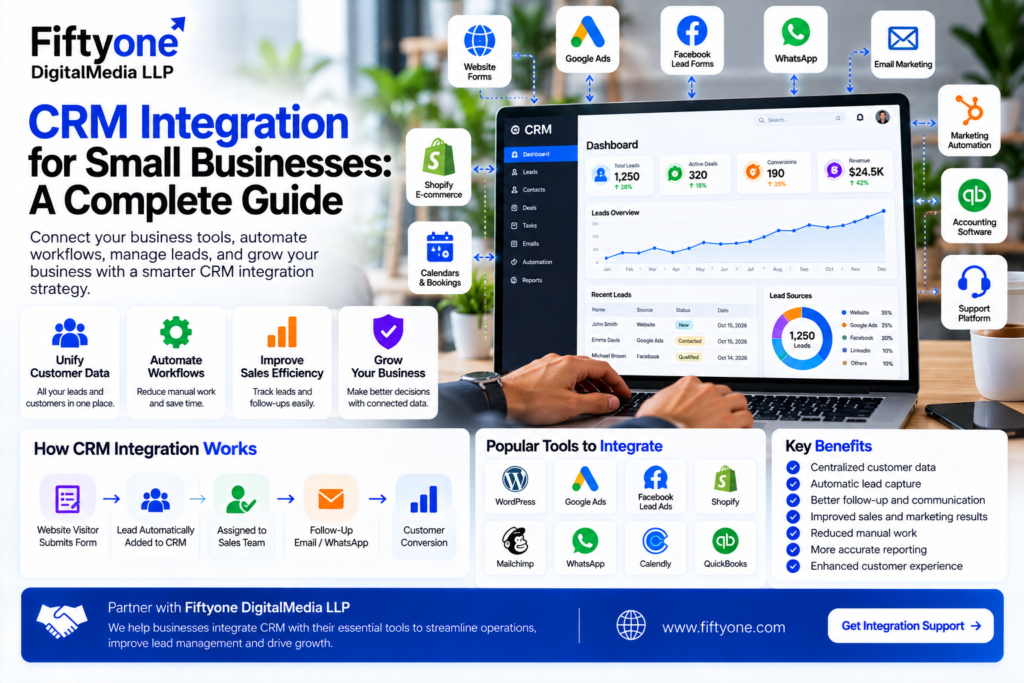
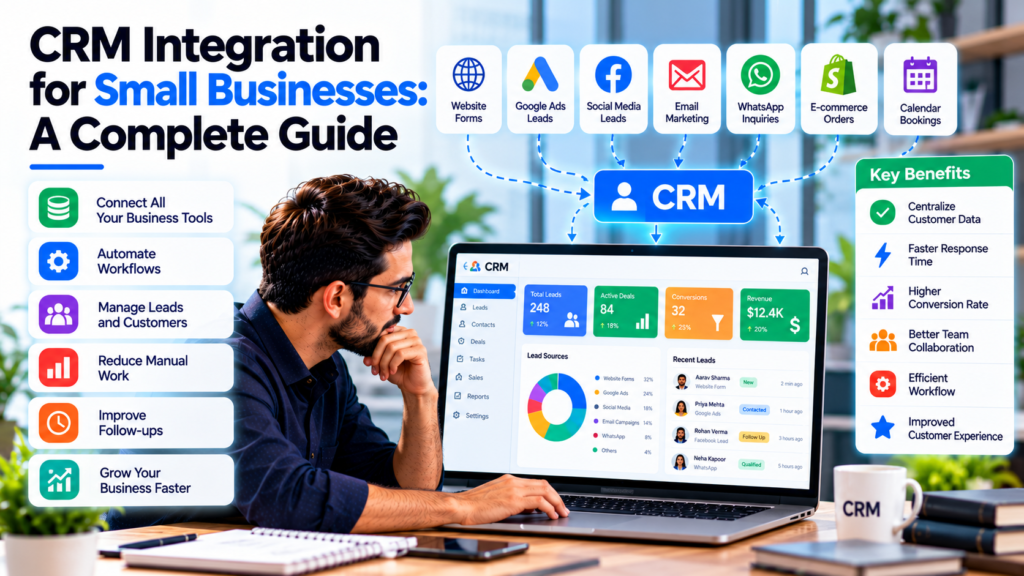
Small businesses often use several different tools to manage leads, customers, marketing, sales, payments, communication, and support. A website may collect leads, email may handle conversations, spreadsheets may store customer information, and another platform may be used for sales management.Fiftyone Digitalmedia LLP helps businesses connect their digital systems and create more efficient workflows through technology and integration solutions.
The problem begins when these systems do not communicate with each other.
Customer information can become duplicated, sales teams may miss follow-ups, and employees may spend unnecessary time moving information manually from one application to another.
CRM integration for small businesses provides a way to connect these systems so customer and business data can move between platforms more efficiently.
A CRM can act as a central place for managing contacts, leads, sales opportunities, customer interactions, and follow-ups. Integrating it with other business applications can extend that capability by synchronizing data and automating repetitive workflows.
1. What Is CRM Integration for Small Businesses?
CRM integration is the process of connecting a customer relationship management system with other tools and platforms used by a business.
Instead of keeping customer information separately in different applications, an integration allows relevant information to move between connected systems.
For example:
Website ForRM → Sales Team → Email Follow-Up → Customer
A small business might connect its CRM with:
- Website contact forms
- Email marketing platforms
- Google Ads
- Social media lead forms
- WhatsApp or communication tools
- Ecommerce platforms
- Accounting software
- Customer support systems
- Calendars and booking platforms
- Payment systems
The goal is not simply to connect as many applications as possible.
The goal is to create a smoother workflow where the right information reaches the right system at the right time.
2. Why Small Businesses Need CRM Integration
Many small businesses begin with spreadsheets, email inboxes, messaging applications, and manually maintained customer records.
This approach may work when there are only a few customers and leads. As the business grows, however, customer information becomes harder to manage.
A CRM provides a central location for customer and prospect information, while integrations allow other business systems to contribute data to that central workflow.
Consider a typical lead-generation business.
A potential customer submits a form on the website. Someone manually copies the information into a spreadsheet, sends an email to the sales team, creates a follow-up reminder, and later updates the lead status.
CRM integration can automate much of this process.
The lead can enter the CRM automatically, receive the correct status, be assigned to a salesperson, and trigger a follow-up workflow.
This reduces administrative work and gives the team greater visibility into the sales process.
3. Which Tools Can Be Integrated With a CRM?
The exact integrations depend on the CRM and the software a business uses.
However, most small businesses can benefit from connecting several important systems.
| Business Tool | Possible CRM Integration | Main Benefit |
|---|---|---|
| Website | Forms and lead capture | Automatically create leads |
| Contact and campaign data | Better follow-up | |
| Google Ads | Lead and conversion data | Measure advertising results |
| Social Media | Lead forms | Centralize prospects |
| Ecommerce | Orders and customers | Track purchase history |
| Calendar | Meetings and appointments | Automate scheduling |
| Accounting | Customer and invoice data | Improve financial visibility |
| Support Platform | Tickets and conversations | Better customer service |
| Marketing Automation | Campaign activity | Lead nurturing |
| Communication Tools | Customer conversations | Centralize interactions |
CRM integration can therefore become the connection between marketing, sales, service, and customer data.
The most valuable integrations are usually the ones that remove repetitive work or prevent important information from being lost.
4. Website and CRM Integration
For many small businesses, the website is one of the most important sources of new leads.
A visitor may complete a contact form, request a quote, book a consultation, or submit a service inquiry.
Without CRM integration, someone may need to manually transfer that information into the sales system.
With an integrated setup, the workflow can be automated:
Website Visitor → Form Submission → CRM Lead → Sales Assignment → Follow-Up
The CRM can store information such as:
- Name
- Email address
- Phone number
- Company
- Service requested
- Lead source
- Date of inquiry
- Sales status
- Notes
- Follow-up activity
This gives the sales team a clearer view of each prospect.
It also reduces the chance of leads being forgotten between the website and sales process.
For WordPress websites, forms can often be connected to CRM systems through native integrations, APIs, webhooks, or third-party automation platforms, depending on the specific tools being used.
5. Connect Google Ads and Marketing Leads to Your CRM
Paid advertising can generate a significant number of leads, but knowing the number of leads alone is not enough.
A business also needs to understand what happens after the lead enters the sales process.
For example:
Google Ads → Landing Page → Lead Form → CRM → Qualified Lead → Customer
When advertising and CRM data are connected, businesses can better understand which campaigns are generating valuable prospects.
Instead of asking:
“How many leads did Google Ads generate?”
The business can ask:
“Which Google Ads campaigns generated leads that became customers?”
This distinction is particularly important for businesses with longer sales cycles.
CRM integration can help connect marketing activity with sales outcomes, while conversion tracking and offline conversion measurement can provide additional feedback to advertising platforms. Google Ads supports offline conversion measurement and Enhanced Conversions for Leads for eligible use cases.
6. Automate Sales Follow-Ups
One of the biggest advantages of CRM integration is automation.
When a new lead enters the CRM, the system can trigger specific actions based on the business workflow.
For example:
New Lead Created
↓
Assign Lead to Salesperson
↓
Send Confirmation Email
↓
Create Follow-Up Task
↓
Update Lead Status
↓
Schedule Reminder
↓
Move Qualified Lead to Sales Opportunity
This can significantly reduce repetitive administrative tasks.
Automation is particularly useful for small businesses because teams often have limited resources. CRM systems can automate tasks such as lead assignment, follow-ups, reminders, and other routine activities.
The important principle is to automate predictable processes while keeping human involvement where personal communication and decision-making matter.
7. CRM Integration With Email and Customer Communication
Email is still an important part of many sales and customer-service workflows.
Connecting email with a CRM can help teams maintain a more complete history of customer interactions.
Instead of searching through different inboxes, the team can view relevant communication alongside the customer’s CRM record.
For example, a sales representative can see:
Lead Created → Initial Email → Follow-Up → Meeting → Proposal → Negotiation → Closed Deal
This creates better continuity when more than one employee works with the same customer.
Communication integrations can also support automated follow-ups, campaign personalization, and customer segmentation.
The result is a more organized customer journey rather than a collection of disconnected conversations.
8. Benefits of CRM Integration for Small Businesses
CRM integration can provide several practical advantages.
Better Lead Management
New leads can automatically enter the CRM instead of being manually copied between systems.
Less Manual Data Entry
Information can be synchronized between connected applications, reducing repetitive administrative work.
Improved Data Accuracy
Automated synchronization can reduce errors caused by repeatedly entering the same customer information.
Faster Follow-Ups
Automated tasks and notifications can help sales teams respond to new inquiries more consistently.
Better Customer Visibility
Teams can see customer interactions and relevant information from a central system.
More Efficient Teams
Employees spend less time switching between applications and performing repetitive tasks.
Better Business Reporting
Connected systems can provide more complete data for measuring sales and marketing performance.
CRM integration is particularly useful because disconnected applications can create data silos. Connecting systems helps create a more unified view of customer information and business activity.
9. How to Choose the Right CRM Integration Strategy
Small businesses should not begin by integrating every available application.
Start with the processes that create the most manual work or the greatest risk of losing information.
A practical approach is:
Step 1: Map Your Current Workflow
Write down how a lead moves from first contact to customer.
For example:
Website → Email → Salesperson → Proposal → Customer
Step 2: Identify Repetitive Tasks
Find activities that employees perform repeatedly, such as copying contact details or creating follow-up reminders.
Step 3: Choose the Most Important Integrations
Start with the systems that have the biggest impact on lead management, sales, or customer service.
Step 4: Define the Data
Decide which information should move between systems.
Step 5: Test the Integration
Create test leads and verify that information reaches the correct destination.
Step 6: Train Your Team
Employees need to understand where customer information should be entered and how the integrated workflow operates.
Step 7: Review and Improve
After implementation, monitor the workflow and identify additional opportunities for automation.
Fiftyone Digitalmedia LLP can help businesses connect websites, marketing workflows, CRM systems, and other digital tools to create more efficient lead-management processes.
10. Common CRM Integration Mistakes
CRM integration can create problems when it is implemented without a clear strategy.
Integrating Too Many Tools
More integrations do not automatically mean a better system.
Every additional connection introduces another process that needs to be maintained.
Poor Data Mapping
If fields are mapped incorrectly, customer information can end up in the wrong place.
Duplicate Records
Multiple systems can sometimes create duplicate contacts if matching rules are not configured correctly.
Ignoring Data Security
Customer information should be handled carefully, with appropriate access controls and security practices.
Not Testing Workflows
An integration should be tested before it becomes part of the daily business process.
Automating Everything
Some customer interactions require human judgment. Automation should support employees rather than remove valuable personal communication.
11. CRM Integration for Small Businesses: A Practical Example
Imagine a small web design company that receives leads through its website and Google Ads.
Without integration, the workflow might look like:
Google Ads → Website → Email Inbox → Spreadsheet → Salesperson
The team manually checks emails, copies contact information, updates the spreadsheet, and remembers to follow up.
An integrated workflow could look like:
Google Ads → Website Form → CRM → Automatic Lead Assignment → Email Confirmation → Sales Follow-Up → Opportunity → Customer
The second workflow gives the business greater visibility and reduces repetitive work.
The CRM can also store the lead source, allowing the company to compare leads generated through different marketing channels.
This makes it easier to evaluate not just lead volume but the quality and eventual value of those leads.
12. How Much CRM Integration Does a Small Business Need?
There is no universal CRM setup for every small business.
A local service company may only need:
Website + CRM + Email + Calendar
An ecommerce business may need:
Website + CRM + Ecommerce Platform + Email Marketing + Customer Support
A B2B company might need:
Website + CRM + Google Ads + Email + Calendar + Sales Automation
The right approach is to build the smallest system that solves the current business problem and can expand as the company grows.
Scalability matters because the CRM should continue supporting the business as customer volume, employees, and processes increase.
Frequently Asked Questions
1. What is CRM integration for small businesses?
CRM integration connects a CRM platform with other business applications so customer information and workflows can be synchronized between systems. Examples include website forms, email marketing, ecommerce platforms, calendars, accounting software, and advertising systems.
2. Why should a small business integrate its CRM?
CRM integration can reduce manual data entry, improve lead management, automate follow-ups, reduce data silos, and provide a clearer view of customer interactions.
3. Can I integrate my website with a CRM?
Yes. Many websites can send form submissions and other lead information directly to a CRM using native integrations, APIs, webhooks, or automation platforms.
4. Can Google Ads leads be sent to a CRM?
Yes. Depending on the CRM and advertising setup, leads can be connected through supported integrations, lead forms, APIs, webhooks, or automation tools. Businesses can also connect CRM outcomes with Google Ads conversion measurement where supported.
5. Is CRM integration expensive for a small business?
The cost depends on the CRM, number of applications, complexity of the workflow, and whether custom development is required. A small business can start with a few high-value integrations instead of implementing a complex system immediately.
6. Can CRM integration automate follow-ups?
Yes. CRM automation can create tasks, assign leads, send appropriate communications, update lead statuses, and trigger other workflow actions based on defined conditions.
7. What should I integrate with my CRM first?
Start with the system that generates or manages the most important customer information. For many small businesses, this means connecting the website lead forms, email, calendar, and primary marketing channels first.
8. Can a CRM integrate with multiple business applications?
Yes. CRM platforms can often connect with multiple applications, although the available integrations depend on the specific CRM and third-party systems. APIs and integration platforms can provide additional options when a native connection is unavailable.
Conclusion
CRM integration for small businesses is not about adding more software simply for the sake of technology.
It is about connecting the tools a business already depends on so customer information can move through the organization more efficiently.
A well-planned setup can connect:
Website → CRM → Marketing → Sales → Customer Service → Reporting
This can reduce repetitive work, improve lead management, strengthen customer visibility, and help small teams operate more efficiently.
The best strategy is to start with the most important workflow, integrate the systems involved in that workflow, test the data flow, and expand the setup as the business grows.
Fiftyone Digitalmedia LLP provides website development, API integration, automation, and digital solutions that can help businesses build connected workflows around their existing technology stack.
If your website, CRM, marketing platforms, and internal tools currently operate separately, integrating them can turn disconnected data into a more efficient business process.
