
How to Track Leads From Google Ads: A Complete Guide
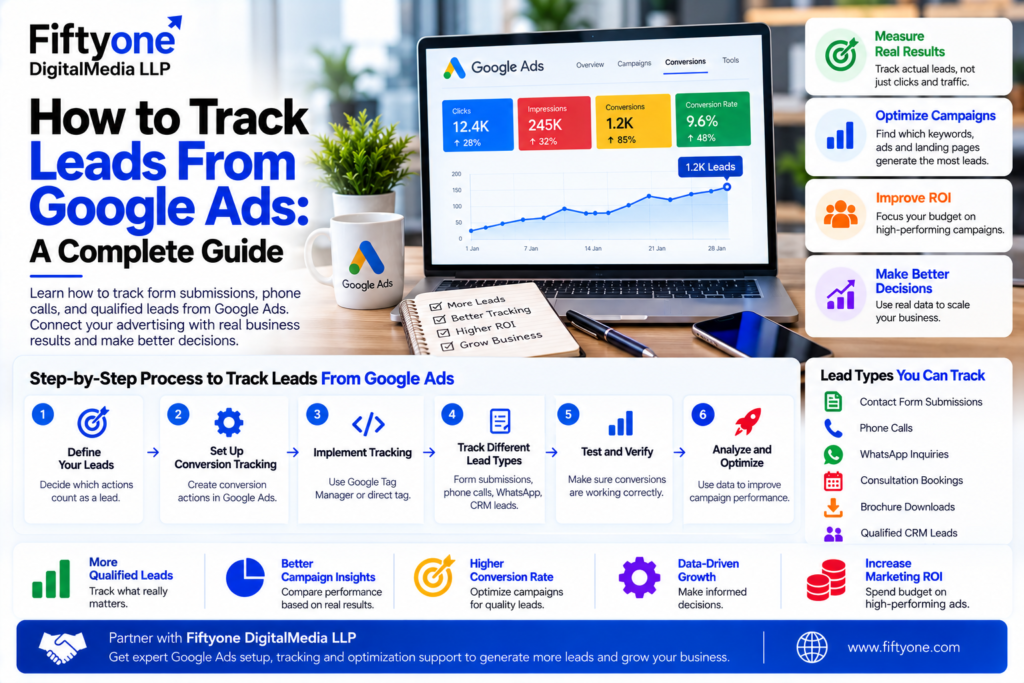
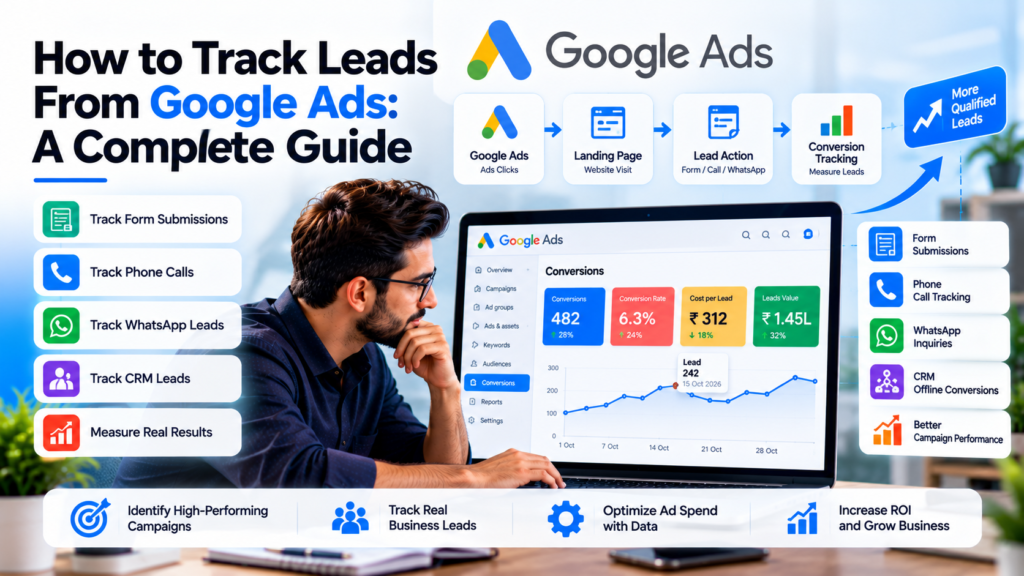
Running Google Ads can generate clicks, traffic, and inquiries, but clicks alone do not tell you whether your advertising is producing real business results. Fiftyone Digitalmedia LLP helps businesses improve their digital marketing measurement so they can better understand which advertising efforts are generating meaningful opportunities.
If your goal is lead generation, you need to know which campaigns, keywords, ads, landing pages, and conversion actions are actually producing leads. More importantly, you should be able to distinguish between a simple form submission and a lead that eventually becomes a qualified prospect or paying customer.
This is where Google Ads lead tracking becomes important.
With the right tracking setup, businesses can measure website forms, phone calls, CRM-qualified leads, and offline conversions. Google Ads supports different conversion actions for website activity, phone calls, apps, and offline outcomes.
This guide explains how to track leads from Google Ads and build a measurement system that connects advertising activity with actual business results.
1. Why Lead Tracking Matters in Google Ads
Without conversion tracking, Google Ads reporting can give you an incomplete picture.
You may know that a campaign received thousands of impressions and hundreds of clicks, but those numbers do not answer the most important question:
How many valuable leads did the campaign generate?
Lead tracking helps connect advertising spend with actions that matter to the business.
For example, a service business might consider these actions valuable:
- Contact form submissions
- Quote requests
- Consultation bookings
- Phone calls
- Demo requests
- WhatsApp inquiries
- Newsletter registrations
- Qualified sales opportunities
Tracking these actions allows businesses to compare campaigns based on actual outcomes rather than traffic alone.
A campaign with fewer clicks may generate significantly more qualified leads than a campaign with high traffic. Without conversion tracking, that difference can easily be missed.
2. Decide What Counts as a Lead
Before setting up tracking, define what a conversion means for your business.
Not every interaction should automatically become a primary conversion.
For example, a website visitor clicking a navigation button may not represent a meaningful lead. A completed contact form, phone call, or consultation booking is usually much more valuable.
A simple lead-tracking framework can look like this:
| Customer Action | Tracking Method | Business Value |
|---|---|---|
| Contact form submission | Website conversion | High |
| Quote request | Website conversion | High |
| Demo booking | Website conversion | Very High |
| Phone call | Call conversion | High |
| Phone number click | Website event | Medium |
| Brochure download | Website conversion | Medium |
| Newsletter signup | Website conversion | Lower |
| Qualified CRM lead | Offline conversion | Very High |
| Closed customer | Offline conversion | Highest |
The exact conversion structure should depend on the business model.
For a high-ticket service company, a qualified sales opportunity may be more useful for optimization than every basic form submission.
3. Set Up Google Ads Conversion Tracking
The foundation of lead tracking is Google Ads conversion measurement.
Google Ads allows advertisers to create different conversion actions depending on what they want to measure. Website actions, phone calls, app activity, and offline conversions can be tracked separately.
For a website lead-generation campaign, the basic process is:
- Identify the lead action.
- Create the appropriate conversion action in Google Ads.
- Install the required Google tag or use Google Tag Manager.
- Connect the conversion event to the correct website action.
- Test the conversion.
- Confirm that conversions are appearing in Google Ads.
- Review the data before using it for campaign optimization.
Google Tag Manager can make this process easier because tracking tags can be managed without repeatedly editing the website’s source code.
However, simply installing a tag is not enough. The conversion should fire only when the intended action has actually occurred.
4. How to Track Website Form Leads
Contact forms are one of the most common lead sources for Google Ads campaigns.
A typical tracking journey looks like this:
Google Ad → Landing Page → Contact Form → Thank-You Page/Event → Google Ads Conversion
There are several ways to track form submissions depending on how the website is built.
Thank-You Page Tracking
One approach is to redirect users to a dedicated thank-you page after successfully submitting a form.
The conversion can then be triggered when the thank-you page loads.
This approach is relatively simple, but it requires the form to reliably redirect only after a successful submission.
Event-Based Tracking
Another approach is to trigger a conversion event when the form is successfully submitted.
This can be useful when the website uses AJAX forms, pop-ups, multi-step forms, or other interfaces where a traditional thank-you page is not available.
The important point is to track the successful submission, not simply a button click.
If you track a button click as a lead, users who click the button but fail to complete the form could be counted as conversions.
5. Track Phone Leads From Google Ads
Many businesses receive a significant percentage of leads through phone calls.
Google Ads provides phone call conversion tracking that can help identify which advertising activity generates calls. Depending on the setup, advertisers can measure calls from ads, calls to numbers displayed on websites, mobile number clicks, or imported call conversions.
For website call tracking, Google can use a dynamically generated forwarding number for eligible businesses. This can help connect calls back to advertising activity and identify which keywords, ads, ad groups, and campaigns are producing calls.
You can also define a minimum call duration.
For example, if a business receives many accidental or very short calls, it may choose to count only calls that last beyond a selected duration as conversions.
This is important because:
Not every phone call is a qualified lead.
A 10-second accidental call and a 15-minute sales discussion should not necessarily have the same business value.
6. Connect Google Ads With Your CRM
Tracking the initial lead is useful, but it does not tell you whether the lead became a customer.
This is where CRM integration becomes important.
Consider this journey:
Google Ad → Website → Form Submission → Lead → Sales Qualification → Proposal → Customer
Standard website conversion tracking may record the form submission, but your CRM contains the later stages of the sales process.
Connecting these systems allows businesses to understand which advertising campaigns are producing valuable customers rather than just inexpensive leads.
For example:
| Campaign | Leads | Qualified Leads | Customers |
|---|---|---|---|
| Campaign A | 80 | 18 | 6 |
| Campaign B | 120 | 10 | 2 |
| Campaign C | 45 | 16 | 8 |
Campaign B generated the most leads, but Campaign C generated the most customers.
Without deeper tracking, Campaign B could appear to be the winner.
With CRM and offline conversion data, the business can make better decisions about budget allocation.
7. Use Enhanced Conversions for Better Lead Measurement
Enhanced Conversions for Leads are particularly useful when the customer journey continues beyond the website.
Google describes Enhanced Conversions for Leads as an upgraded form of offline conversion import that can use hashed first-party information, such as an email address, to help connect website leads with later offline outcomes.
The basic concept is:
Ad Click → Website → Lead Form → CRM → Qualified Lead → Customer
The website captures permitted first-party information from the lead. The business stores the lead in its CRM and later sends the relevant conversion outcome back through Google’s supported measurement tools.
This can help Google Ads understand which advertising interactions ultimately produced valuable business outcomes.
Google’s current setup also supports Google Tag Manager and the Google tag, with Data Manager available for importing offline conversion data.
Because this process involves customer information, businesses should follow Google’s customer-data policies and applicable privacy requirements.
8. Track Qualified Leads Instead of Only Lead Volume
One of the biggest mistakes in Google Ads lead generation is optimizing only for the number of leads.
Imagine two campaigns:
Campaign A
- 100 leads
- 15 qualified
- 3 customers
Campaign B
- 50 leads
- 25 qualified
- 10 customers
Campaign A produced twice as many leads, but Campaign B produced significantly more business value.
This is why lead quality should be part of the measurement strategy.
Useful stages can include:
Lead → Marketing Qualified Lead → Sales Qualified Lead → Opportunity → Customer
The exact terminology can vary between businesses, but the principle is the same: measure the customer journey beyond the initial inquiry.
Fiftyone Digitalmedia LLP uses conversion-focused advertising and tracking as part of its broader approach to Google Ads campaigns, including form submissions, phone calls, analytics, and conversion measurement.
9. Track Google Ads Leads With GA4 and Google Tag Manager
Google Analytics 4 and Google Tag Manager can work alongside Google Ads to create a more complete measurement setup.
Google Tag Manager can help manage tracking tags and events, while GA4 can provide additional information about how users interact with the website.
A typical setup might include:
- Google Ads conversion tracking
- Google Analytics 4
- Google Tag Manager
- Website forms
- Call tracking
- CRM integration
- Offline conversion imports
The goal is not to install every available tracking tool.
The goal is to create a clean measurement system where important actions are defined consistently and data can be trusted.
Duplicate tags and incorrectly configured events can create inflated conversion numbers, so tracking should always be tested before campaigns are optimized around the data.
10. Measure Cost Per Lead and Cost Per Qualified Lead
Once conversion tracking is working, you can begin measuring the economics of your campaigns.
Two important metrics are:
Cost Per Lead (CPL)
CPL = Advertising Spend ÷ Number of Leads
For example, if a campaign spends $2,000 and generates 100 leads:
$2,000 ÷ 100 = $20 CPL
But CPL alone does not tell the complete story.
You should also consider:
Cost Per Qualified Lead = Advertising Spend ÷ Qualified Leads
If the same campaign produces only 20 qualified leads:
$2,000 ÷ 20 = $100 per qualified lead
This can completely change how you evaluate campaign performance.
A campaign with a $20 CPL may actually be less profitable than another campaign with a $40 CPL if the second campaign generates much higher-quality leads.
11. Common Google Ads Lead Tracking Mistakes
Incorrect tracking can make campaign reports look better or worse than reality.
Some common problems include:
Counting Button Clicks as Leads
A click on a “Submit” button does not always mean the form was successfully submitted.
Tracking Duplicate Conversions
Multiple tags or events can cause one lead to be counted more than once.
Ignoring Phone Calls
Businesses that receive calls should include call tracking in their measurement strategy.
Measuring Only Form Leads
Some businesses receive leads through calls, chat, bookings, or other channels.
Optimizing for Cheap Leads
The cheapest lead is not necessarily the most valuable lead.
Not Connecting CRM Data
If sales outcomes are stored separately from Google Ads, campaign optimization may focus on incomplete data.
Never Testing the Tracking
A tracking setup should be tested after installation and whenever the website, forms, CRM, or tag configuration changes.
12. How to Build a Reliable Google Ads Lead Tracking System
A strong lead-tracking setup should follow a simple structure.
Step 1: Define valuable actions
Decide what counts as a lead, qualified lead, opportunity, and customer.
Step 2: Track website conversions
Measure successful forms, bookings, quote requests, and other important website actions.
Step 3: Track calls
Measure meaningful phone calls and distinguish valuable calls from short or accidental calls.
Step 4: Connect your CRM
Store lead sources and sales stages so you can understand what happens after the initial conversion.
Step 5: Import offline outcomes
Send qualified leads and customer outcomes back to Google Ads where appropriate.
Step 6: Review data regularly
Compare campaigns based on lead quality, cost, revenue, and customer acquisition—not clicks alone.
Step 7: Optimize campaigns
Use reliable conversion data to improve keywords, ads, targeting, bidding, landing pages, and budgets.
A properly configured system turns Google Ads from a traffic-generation channel into a measurable customer-acquisition system.
Frequently Asked Questions
- How do I track leads from Google Ads?
You can track leads by creating Google Ads conversion actions for website forms, bookings, phone calls, and other valuable actions. Google Tag Manager or the Google tag can be used to implement website tracking, while CRM and offline conversion data can provide information about later sales outcomes.
- Can I track form submissions from Google Ads?
Yes. Form submissions can be measured as website conversions. The tracking should trigger after a successful submission rather than simply when someone clicks the submit button.
- Can Google Ads track phone leads?
Yes. Google Ads provides several phone conversion tracking options, including calls from ads and calls generated after users visit a website from an ad. Depending on the setup, businesses can also import call conversions from another system.
- Can I track which Google Ads campaign generated a lead?
Yes. With correctly configured conversion tracking and attribution data, Google Ads can associate conversions with advertising activity. More advanced setups can also connect lead information with CRM and offline conversion outcomes.
- What is the difference between a lead and a qualified lead?
A lead is usually an initial inquiry or conversion. A qualified lead has met additional criteria that make it more likely to become a genuine sales opportunity. The criteria depend on the business and sales process.
6. Should I track every website action as a conversion?
No. Focus your primary conversion actions on meaningful business outcomes. Tracking every click, page view, or minor interaction as a primary conversion can make campaign optimization less reliable.
7. What are Enhanced Conversions for Leads?
Enhanced Conversions for Leads help connect online lead interactions with later offline outcomes by using privacy-conscious, hashed first-party customer information. This can improve conversion measurement when sales happen after the initial website lead.
8. Why are my Google Ads conversions different from my CRM leads?
Differences can occur because the two systems may use different attribution rules, conversion definitions, reporting windows, duplicate handling, or tracking configurations. The best approach is to define a consistent measurement process and regularly compare the systems.